Commands
status
List all apps with health status, commit SHA, hostnames, and connected services.
norn status            # list all apps
norn status <app>      # detailed view for a specific app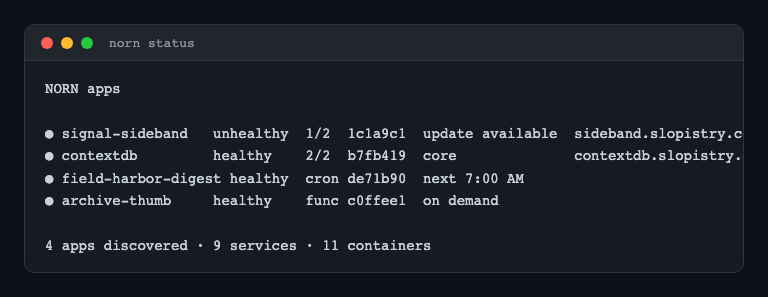
List view
Shows a styled table with:
- Health indicator (green/red dot)
- App name (core apps highlighted)
- Role badge (webserver/worker/cron)
- Ready count (e.g.
2/2) - Current commit SHA
- Hostnames
- Connected services
Detail view
Shows comprehensive app info:
- Pod status (name, status, ready, restarts, age)
- Recent deployments (ID, commit, status, time)
- Service connections
- Secret names
- Forge state
- Cron schedule and state (for cron apps)
deploy
Deploy a commit with real-time pipeline progress.
norn deploy <app> <sha>
norn deploy <app> HEAD    # deploy latest from configured branch
The CLI connects via WebSocket and shows a live TUI with:
- Step-by-step progress with spinners
- Each step shows: name, status (pending/running/done/failed), duration
- Pipeline output streamed in real-time
- Final summary with total duration
Pipeline steps shown
- clone — cloning repo or copying source
- build — building Docker image
- test — running tests
- snapshot — creating database backup
- migrate — running migrations
- deploy — updating K8s deployment
- cleanup — removing temp files
restart
Rolling restart of an app's K8s deployment.
norn restart <app>Shows a spinner while the restart is in progress.
rollback
Rollback to the previous deployment's image.
norn rollback <app>Finds the second most recent deployment and sets the K8s Deployment image to that version. Shows a spinner during the operation.
logs
Stream pod logs in a fullscreen, scrollable view.
norn logs <app>Uses Bubble Tea's viewport component for a scrollable log viewer. Connects to the API's log streaming endpoint, which proxies Kubernetes pod logs.
If the app has multiple pods, the first pod is selected by default.
secrets
List secret key names for an app.
norn secrets <app>Shows only the key names — values never leave the server. The secrets are stored encrypted via SOPS + age in secrets.enc.yaml.
health
Check all backing services.
norn healthChecks and displays the status of:
| Service | What it checks |
|---|---|
| PostgreSQL | Database connectivity |
| Kubernetes | Cluster reachable, current context |
| Valkey | Redis-compatible KV store connectivity |
| Redpanda | Kafka-compatible event streaming |
| SOPS | Age key file exists |
| Norn API | API server responding |
Each service shows a green/red status dot with details.
version
Show version and API endpoint info.
norn version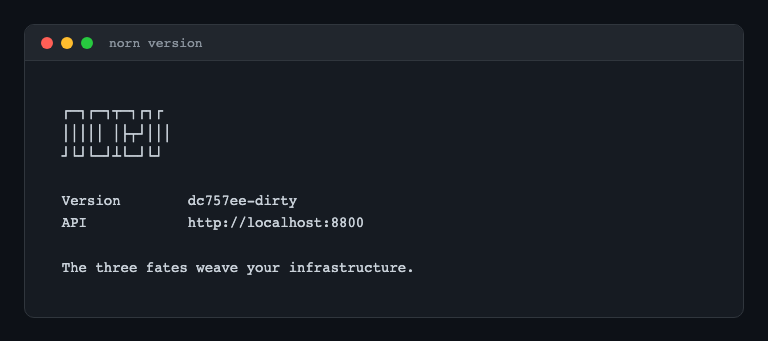
Displays:
- CLI version (from git describe)
- API URL
- API server version (fetched from server)
forge
Provision infrastructure for an app.
norn forge <app>
norn forge <app> --force    # re-forge (teardown + forge)
Shows a live TUI with forge pipeline progress:
- create-deployment — K8s Deployment
- create-service — K8s Service
- patch-cloudflared — Tunnel ingress rule
- create-dns-route — Cloudflare DNS record
- restart-cloudflared — Apply tunnel config
For cron apps, simply registers with the scheduler.
If a previous forge failed, calling forge again resumes from the last completed step.
teardown
Remove all infrastructure for an app.
norn teardown <app>Reverse of forge — removes DNS, tunnel config, service, and deployment. Shows live progress via TUI.
invoke
Invoke a function app.
norn invoke <app>                     # invoke with empty body
norn invoke <app> --body '{"key": "value"}'  # with JSON body
norn invoke <app> --body @request.json       # from file
Shows the function execution result:
- Status (succeeded/failed/timed_out)
- Exit code
- Duration
- Container output